
Please visit https://photon-sol.tinyastro.io/ and connect your wallet using Phantom.


First, click on “Connect Wallet.” This wallet will be the one you use to log into Photon. We are currently using the Phantom wallet app.
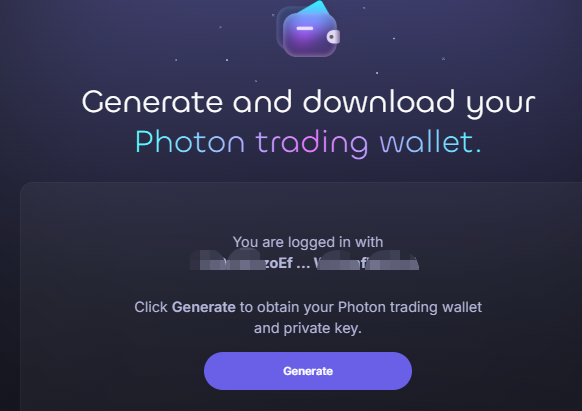
After connecting your wallet to Photon and logging in for the first time, you will see the interface shown above. Once you click the “Generate” button, a new trading wallet will be created for you. To ensure maximum account security, the private key of your Photon trading wallet will be displayed only once.

Use your finger or mouse to slide the button all the way to the right. Then, you’ll be able to copy your Photon trading wallet’s private key. Be sure to store it in a secure place, and click Next to continue.

On this page, you can transfer SOL to your Photon wallet address. Click Next again, and we’ll be ready to start trading!
Wallet Balance + Transferred Funds

主题测试文章,只做测试使用。发布者:Web3导航网,转转请注明出处:https://www.glodchain.com/photon-guide.html